App Window Panels Reference
Every draggable window panel in Finterm — charts, SEC filings, watchlist, news, backtester and spreadsheet — with screenshots and usage notes.
chart
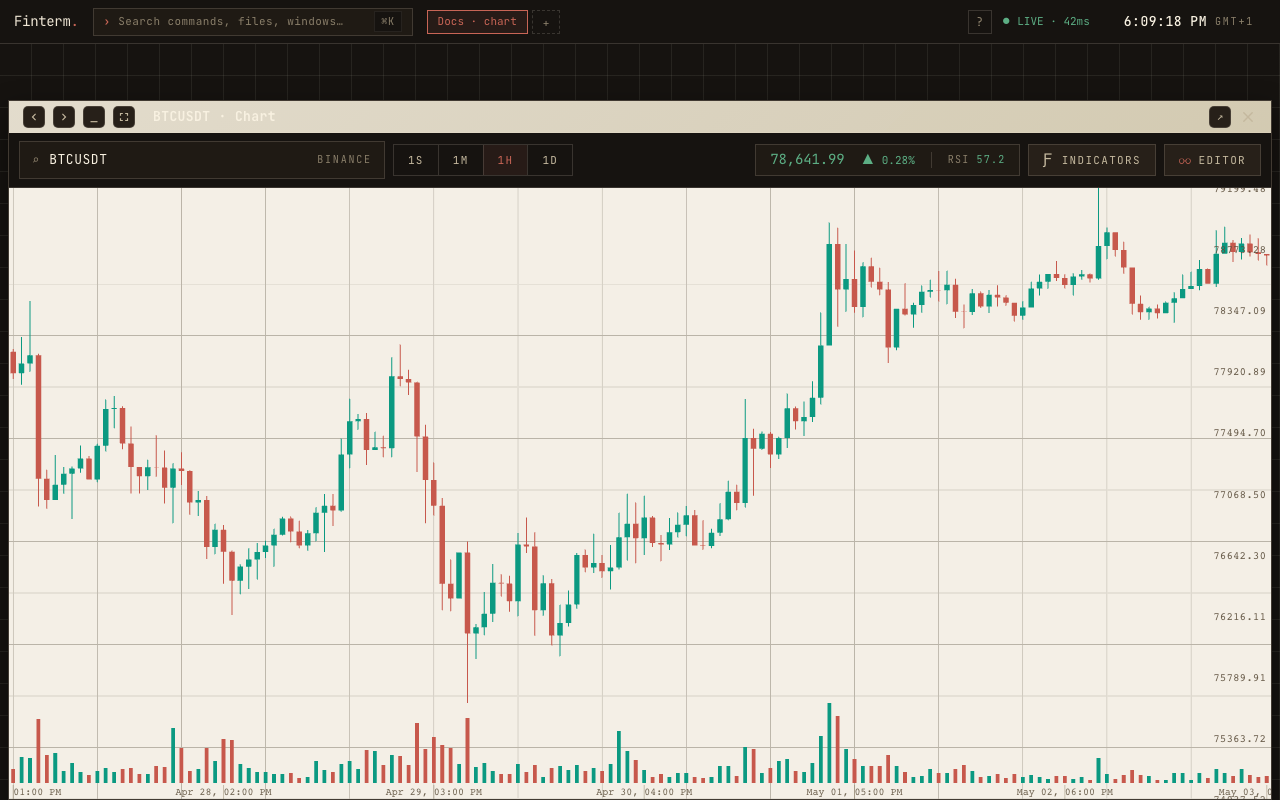
Live WebGL crypto chart with WebSocket tick stream, RAF-eased pan/zoom, indicator overlays, and a sub-pixel candle layer.
How to spawn
- ⌘K → type a crypto symbol (BTC, ETH, SOL).
- ⌘K → 'Open chart for X' as a fallback when the registry doesn't know the symbol.
- Workspace presets ('Markets', 'Research') include a chart in their layout.
Top bar
Pan & zoom
- Click + drag — sub-pixel pan with RAF-coalesced render. Release with momentum to fling-glide.
- Wheel — zoom (vertical) or pan (horizontal). Trackpad detected automatically and slowed ~12×.
- Right-edge price axis — click + drag up/down to stretch / compress the y range (TradingView-style).
- AUTO refits the y range to data; LOG toggles linear / log10 price mapping; MAG snaps the crosshair to the bar's nearest OHLC. Buttons sit bottom-right of the chart, just above the time axis.
- You can scroll past the latest bar into empty 'future' space (TradingView style).
Measure & export
- Shift + drag draws a measurement box with % change, $ change, bar count and elapsed time. The box stays after you release the mouse.
- ✕ on the toolbar clears the selection; starting a new Shift+drag replaces it.
- ↗ Sheet exports the bar range as a fresh spreadsheet (time + OHLCV per row), so you can analyse it with =VOL, =TREND, run regressions in the Lab, etc.
Hotkeys
Settings that affect it
sheet
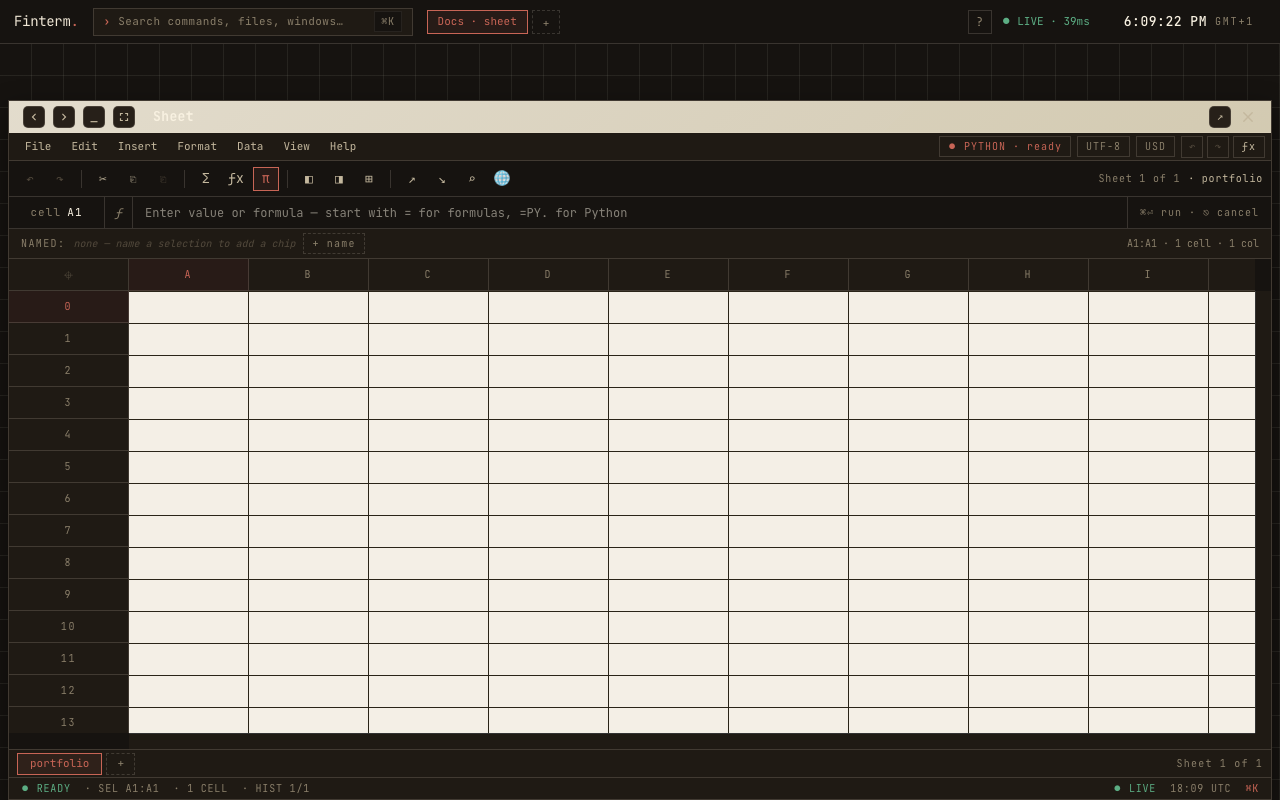
Spreadsheet with live-data formulas, financial modelling, click-to-edit cells, and persistence to the unified file store.
What it does
Standard A1-style spreadsheet — type values or =FORMULAS in cells, drag column borders to resize. Persists to the unified file store with a 4-second auto-save debounce after the last keystroke; the status bar shows the dirty / saved state. Two-finger trackpad scrolling pans both axes; Shift+wheel scrolls the cross-axis on a notch wheel.
Live price formulas
Pull live ticks into cells. Crypto uses Binance (5-second cadence); equities go through Yahoo / Finnhub via the gateway (15-second cadence) — the source is governed by data.equityProvider in settings.
Financial modelling formulas
Closed-form scalar functions for the common quant primitives. They evaluate synchronously like any spreadsheet formula — drop them in alongside arithmetic and they recompute when their inputs change.
Toolbar buttons
Selection
- Click + drag selects multi-cell ranges; selection persists after you release the mouse.
- Shift+arrow extends the selection from the anchor; the cursor side moves correctly past two cells.
- Selection border + interior flash track the active theme accent — when you arrow into a new cell the box pulses for ~220 ms.
How to spawn
- ⌘K → 'sheet' or 'spreadsheet' or 'sheets'.
- From the FileBrowser: double-click any .sheet file.
lab
Off-thread financial modelling — regression, forecast, options pricing, Monte Carlo simulation. Reads ranges from the active spreadsheet, can chart its outputs.
Tabs
Reading the spreadsheet
The Lab passes range strings (A1:A20) over a CustomEvent bridge to whichever sheet is currently active in the workspace — no React refs cross window boundaries, so the Lab keeps working when the spreadsheet is in a popout.
How to spawn
- From the spreadsheet: 🔬 toolbar button — passes the current selection's range as the default.
data chart
Chart from a spreadsheet selection. Line / bar / area, theme-coloured series, exports to SVG / PNG / PDF and the unified file store.
What it does
Takes a 2-or-more-column selection (header row + data) and renders the first column as the X axis and remaining columns as series. Series colours track the active theme — switching theme re-recolours the chart in place.
Export buttons
How to spawn
- From the spreadsheet: select a range, click the 📈 toolbar button.
- From the Lab: each tab has a 'Chart …' button after a run.
texteditor
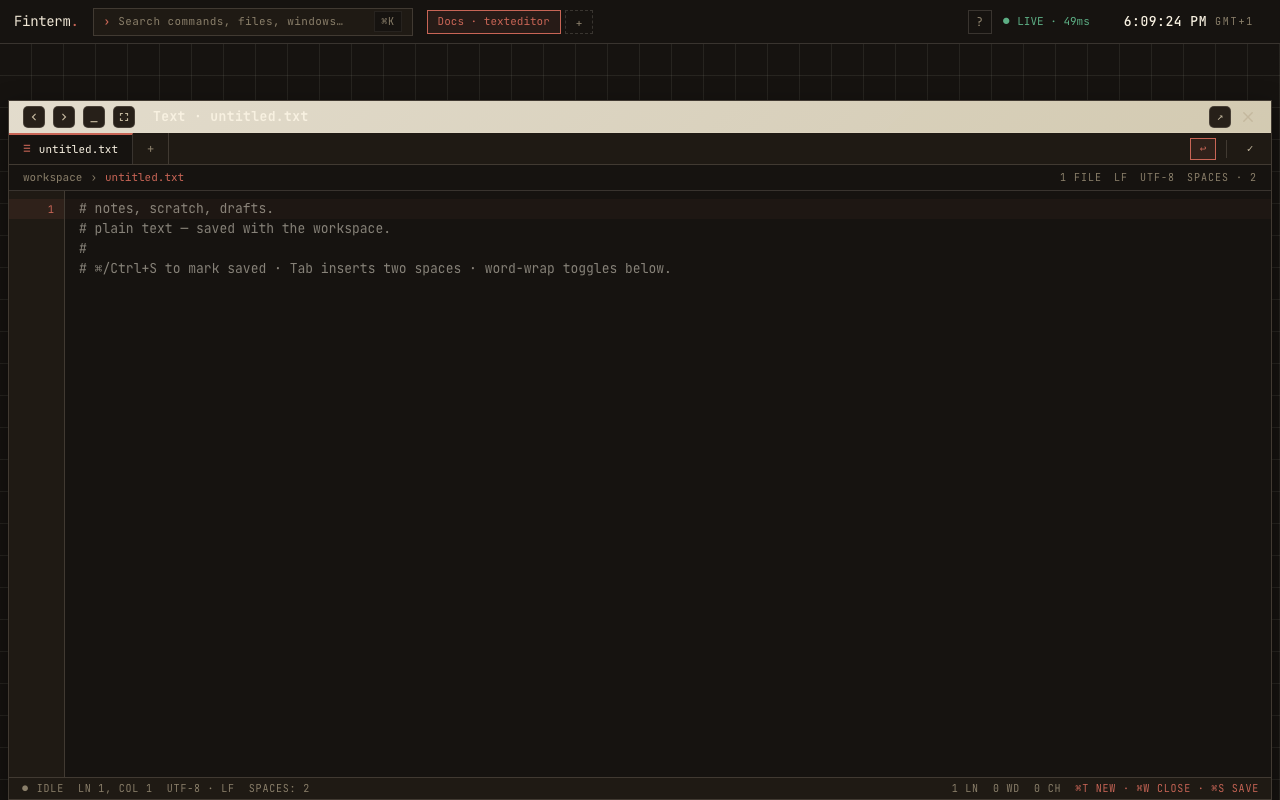
Multi-tab plain-text editor with JS syntax highlighting, file persistence, and a 'linked to chart' mode for indicator scripting.
Modes
Syntax highlighting
Auto-on for filenames matching .js / .ts / .tsx / .jsx / .json / .mjs / .cjs or anything containing 'indicator'. The highlighter is a tiny tokenizer (comments, strings, numbers, keywords, identifiers) — not a full parser, but covers ~95% of code you'd write here.
Auto-save
4-second debounce after the last keystroke. The status bar shows dirty / saved / idle. Linked-mode commits every keystroke straight to the chart's indicatorCode (no debounce — the chart's sandbox throttles).
file-browser
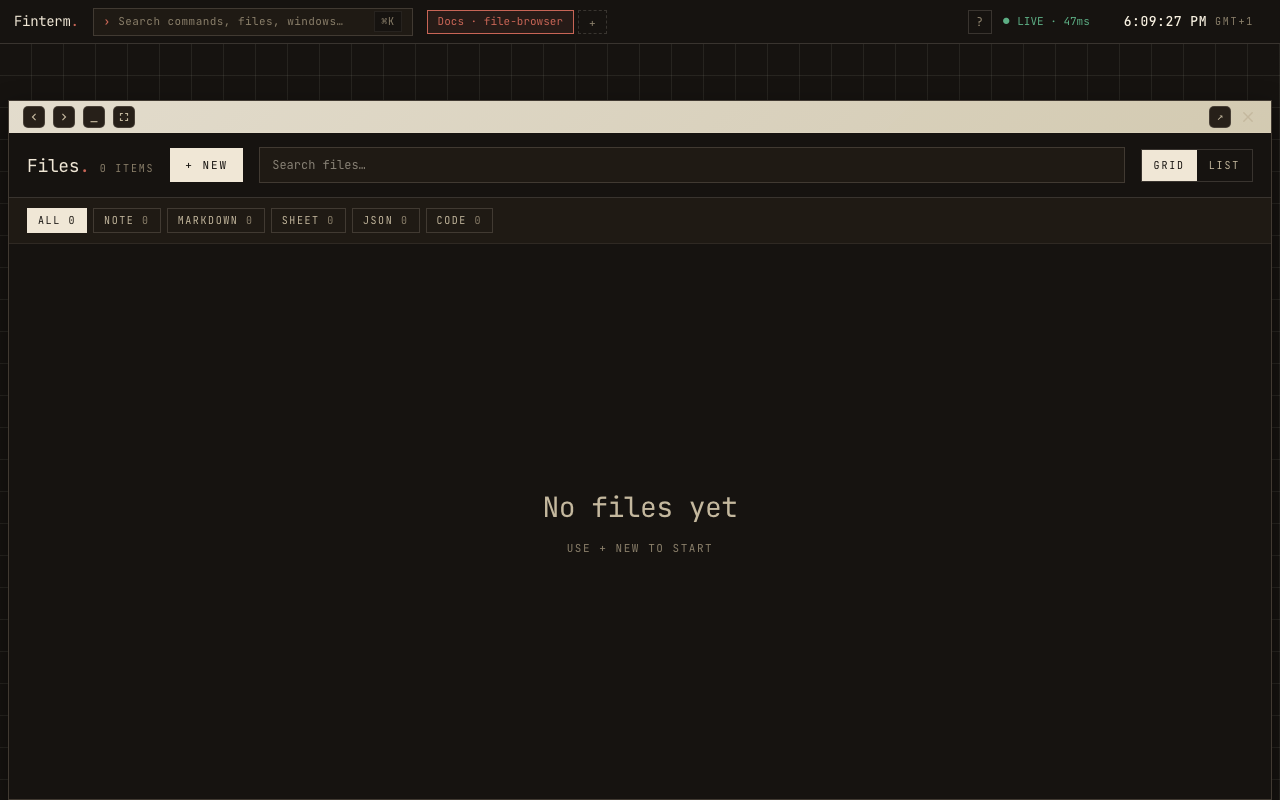
Browse, search, and open files from the unified IndexedDB store. Click a file to spawn it in the appropriate editor.
Routing
Double-click any file to spawn it in the right editor. Files are typed by extension and content sniff.
Indexing
Files surface in the command palette too — ⌘K then type any part of the filename. The palette indexes lazily on first open and refreshes whenever it re-opens.
watchlist
Free-text symbol list with live last-trade + 24h percent for every line.
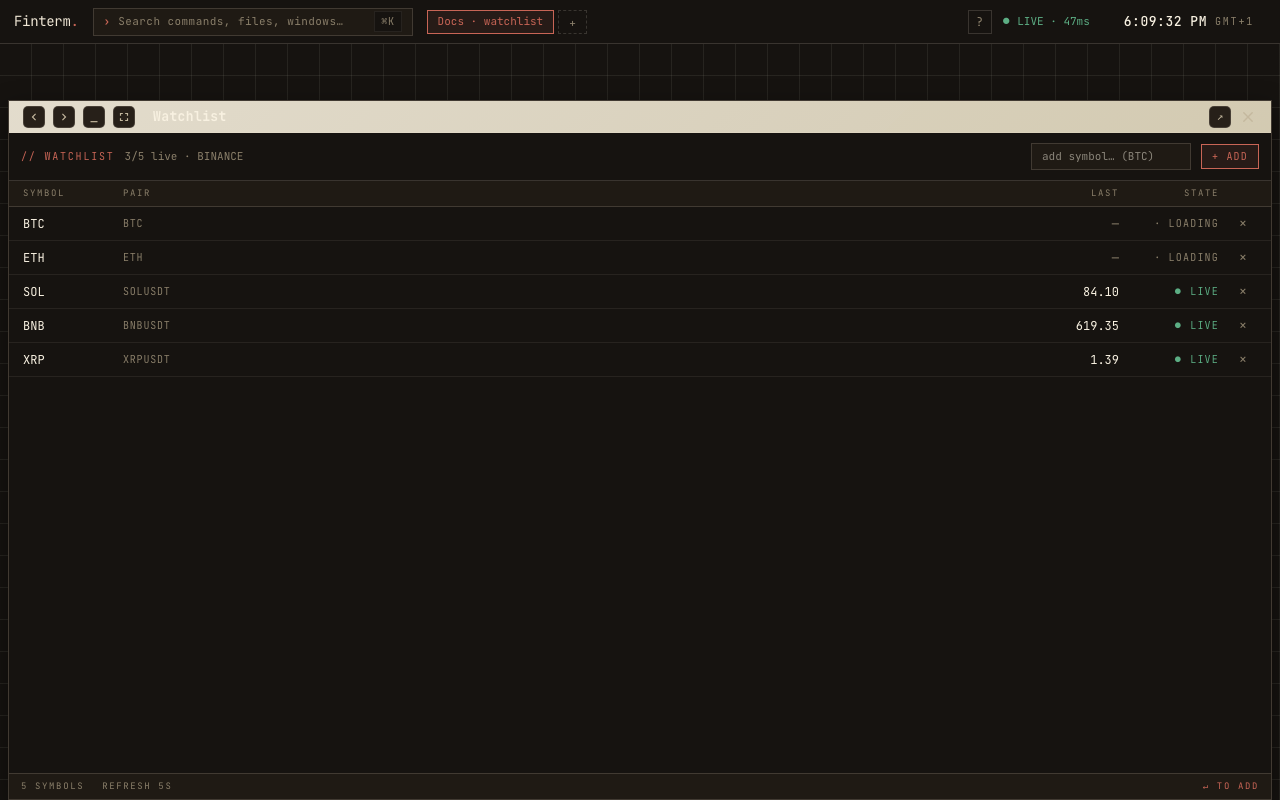
The Watchlist is a textarea on the left and a price column on the right. Edit the textarea (one symbol per line, e.g. BTCUSDT, ETHUSDT, SOLUSDT) — the price column re-renders to match. Changes save back to the workspace immediately.
alerts
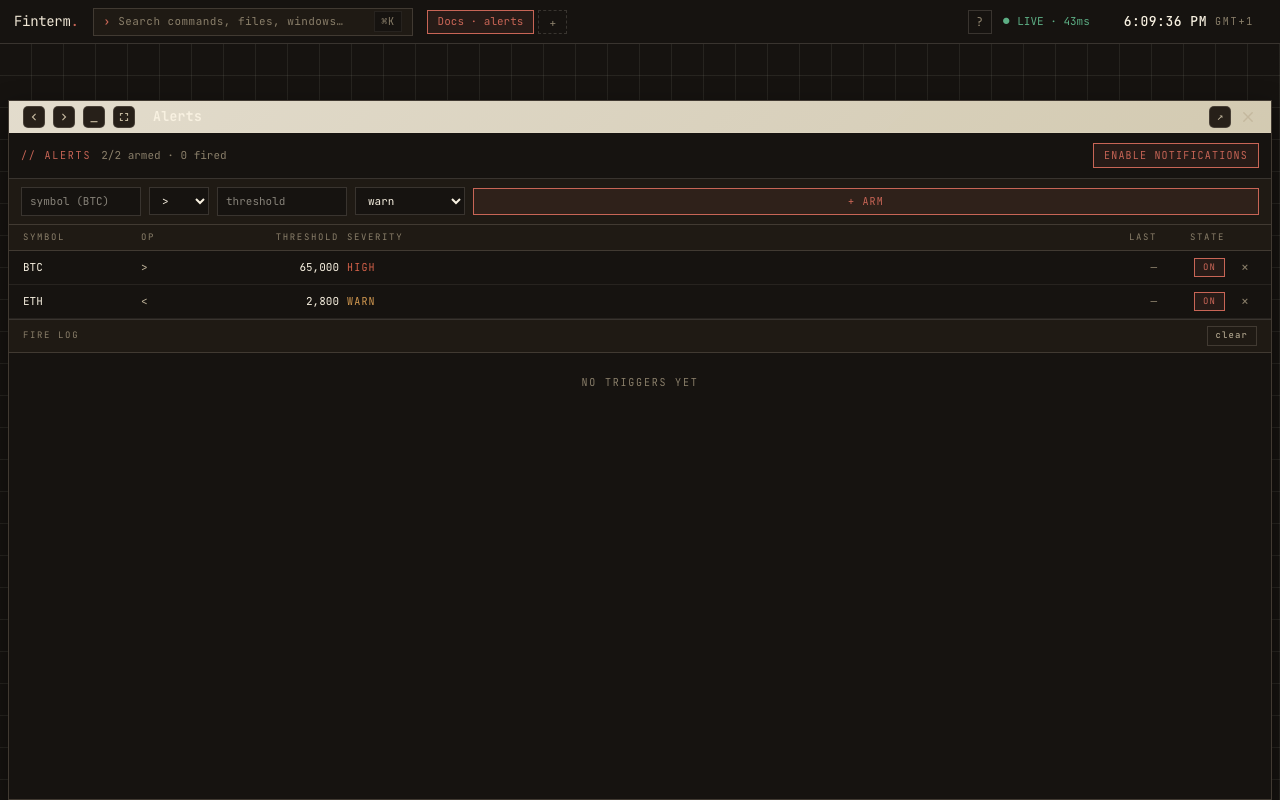
Browser-notification alerts on price thresholds. Service-worker backed; needs notification permission once.
How it works
Each alert is a (symbol, direction, price) rule. The chart's tick stream feeds the alert checker; when a rule's threshold is crossed, the Finterm service worker fires a browser notification.
First-time setup
- Spawn the Alerts window.
- Add a rule (symbol, above/below, price).
- On first arm, the browser asks for notification permission. Grant it.
- Test by setting an above/below near the current price.
news
Crypto news aggregated from CoinDesk, CoinTelegraph, Decrypt, The Block, Bitcoin Magazine, and HN /best. Click a headline to open the in-app reader.
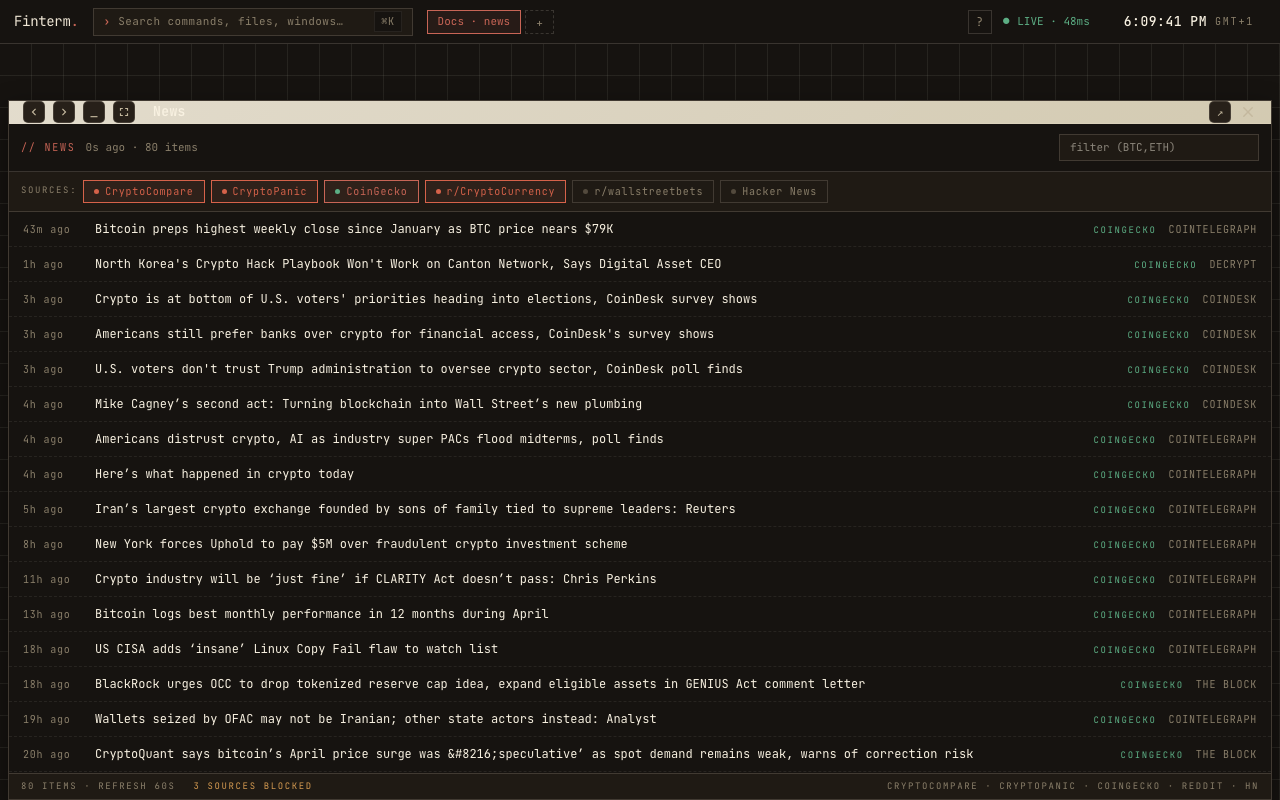
The feed pulls from /api/data/news/crypto, edge-cached for 2 minutes. Click any headline to spawn (or focus) a Reader window with the article's body extracted in-app — no leaving the workspace.
reader
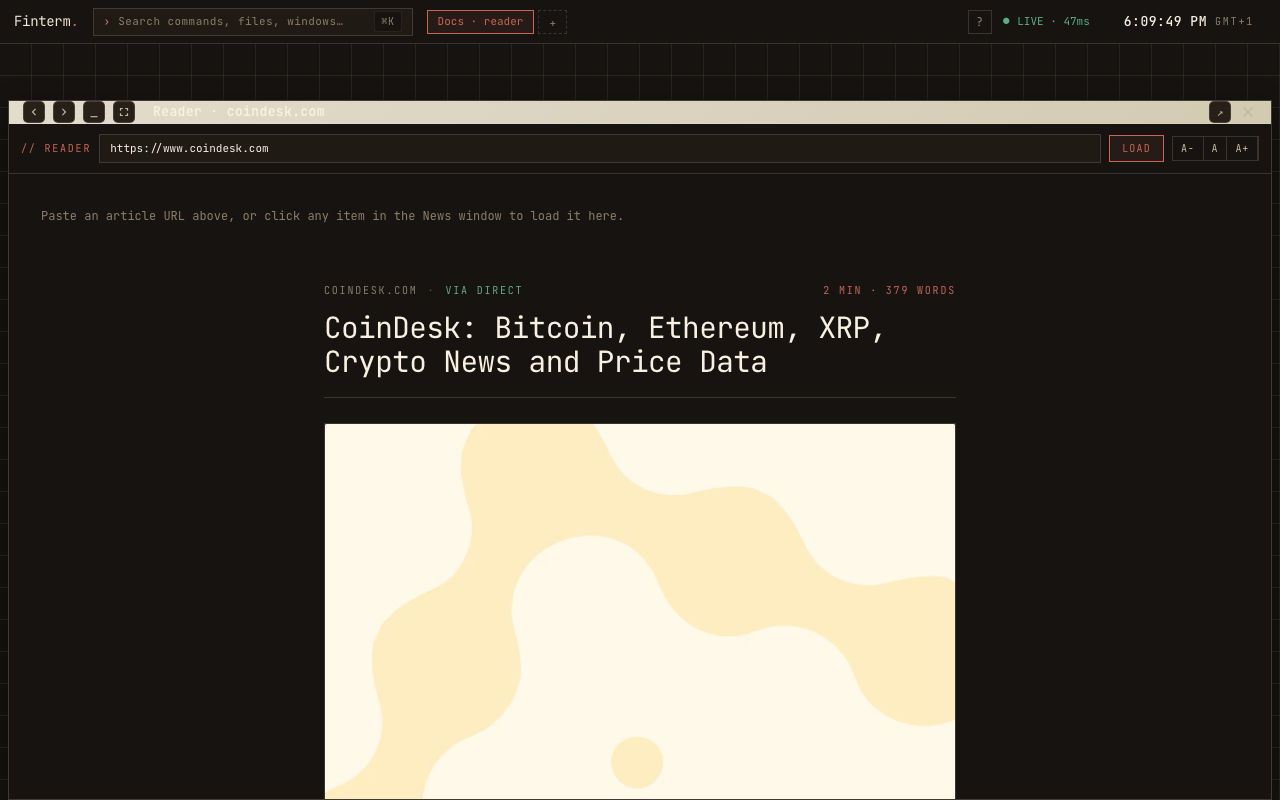
In-app article reader. Self-hosted extractor strips the chrome and shows just the body.
How extraction works
/api/extract fetches the URL with realistic browser headers, parses the HTML through htmlparser2 (a SAX streaming parser, no DOM), walks the tag tree picking up paragraphs / headings / lists / blockquotes / images, and returns a typed Block[] payload that this window renders.
filings
SEC EDGAR filings per ticker — search, filter by form, click any row to open the document on sec.gov.
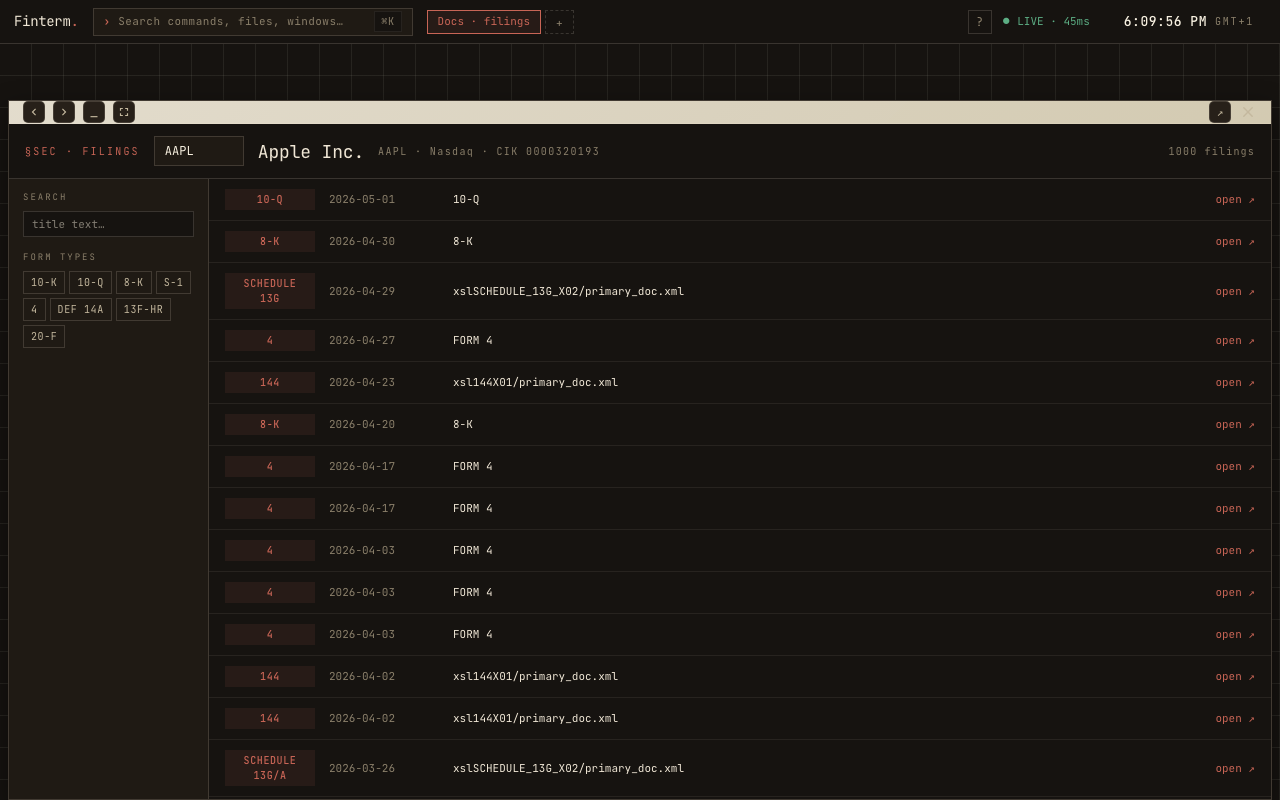
The window calls /api/data/sec/submissions which proxies SEC EDGAR's submissions JSON, resolves your ticker to a CIK via the company-tickers manifest, and renders the recent submissions table.
Form filter chips
Toggle 10-K / 10-Q / 8-K / S-1 / 4 / DEF 14A / 13F-HR / 20-F. The text-search box filters by form code or document description on top of the chip selection.
facts
us-gaap quarterly fundamentals pivoted from EDGAR companyfacts. 12 metrics × every reported quarter.
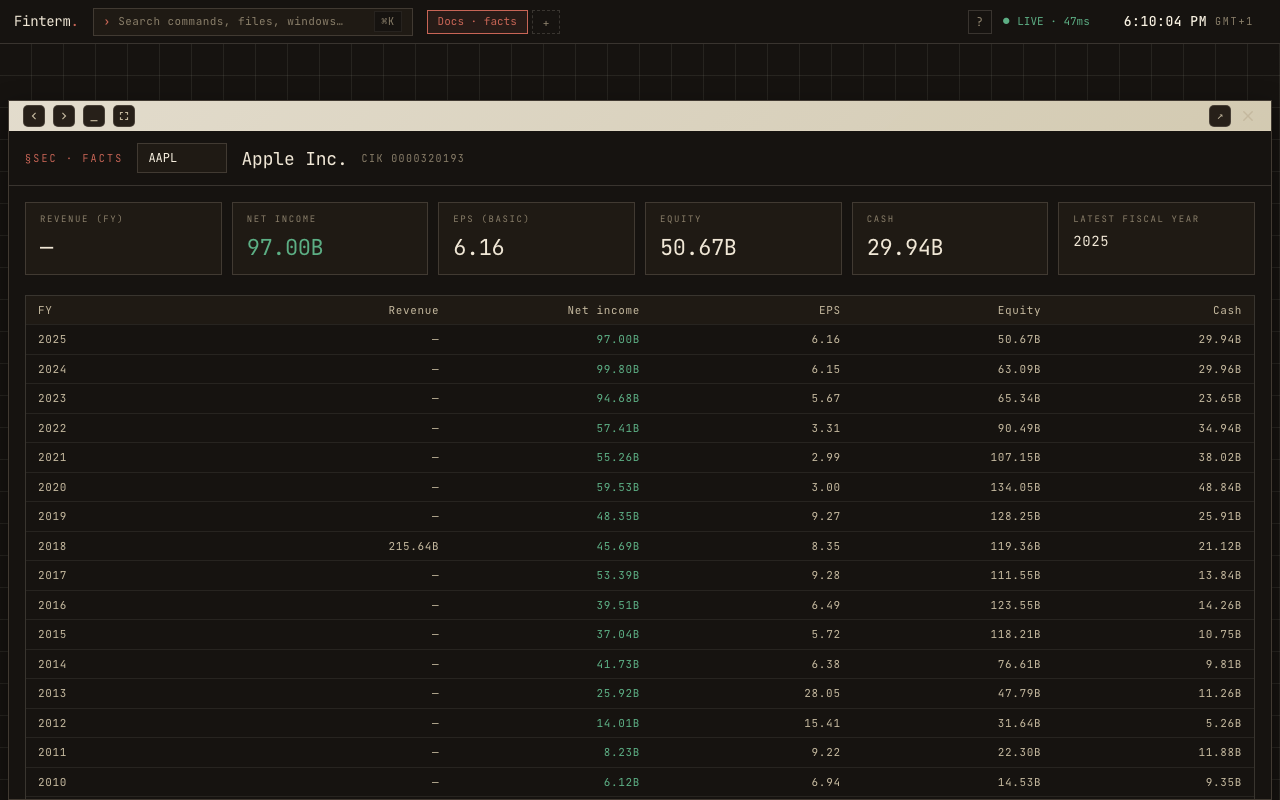
Available metrics
- Flow: revenue, netIncome, grossProfit, operatingIncome, rd, opex.
- Per-share: eps, epsDiluted.
- Stock: cash, equity, assets, liabilities.
backtester
JS strategy engine — runs your function bar-by-bar, returns trades + equity + max DD.
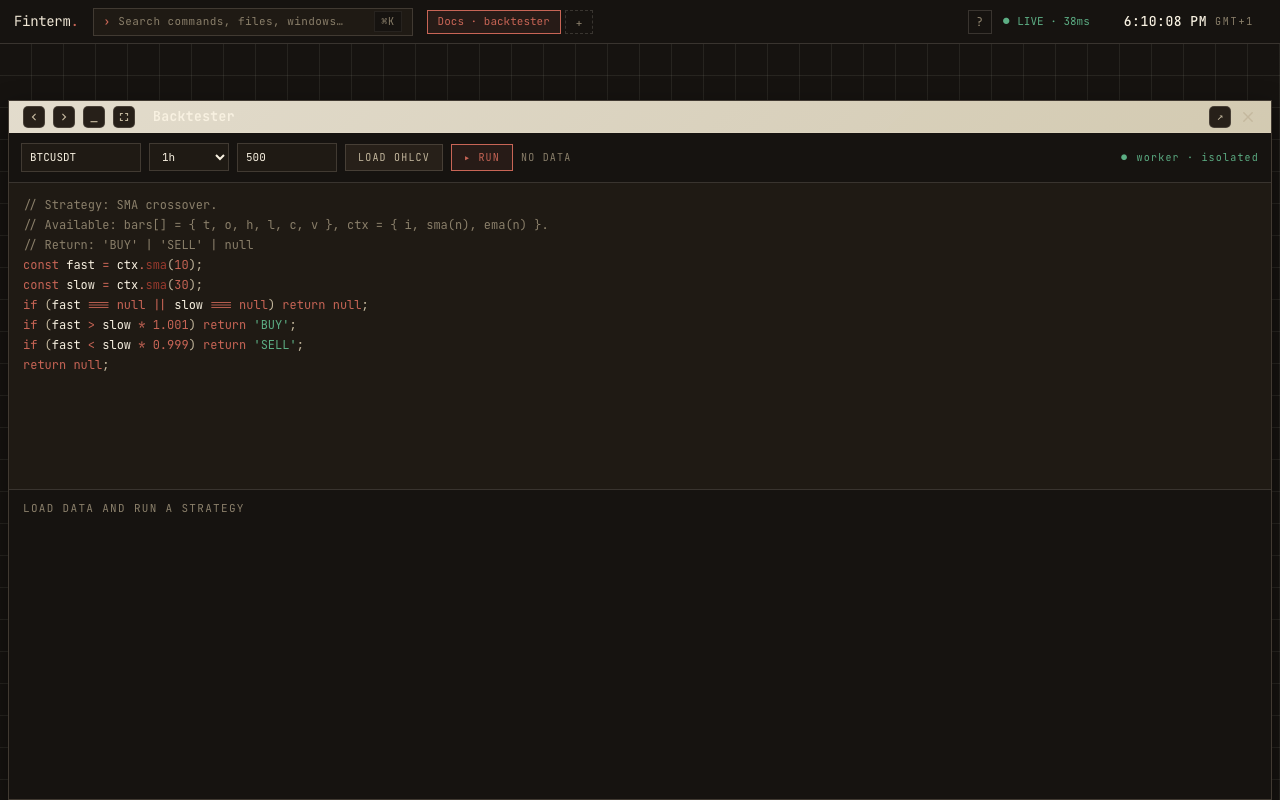
Loads OHLCV from any Binance symbol + interval, runs your strategy in the same Web Worker sandbox as indicators. Returns: trades + equity[] + P&L + max drawdown + win rate + buy-and-hold baseline.
heatmap
Top USDT pairs by 24h percent change — coloured grid, sized by volume.
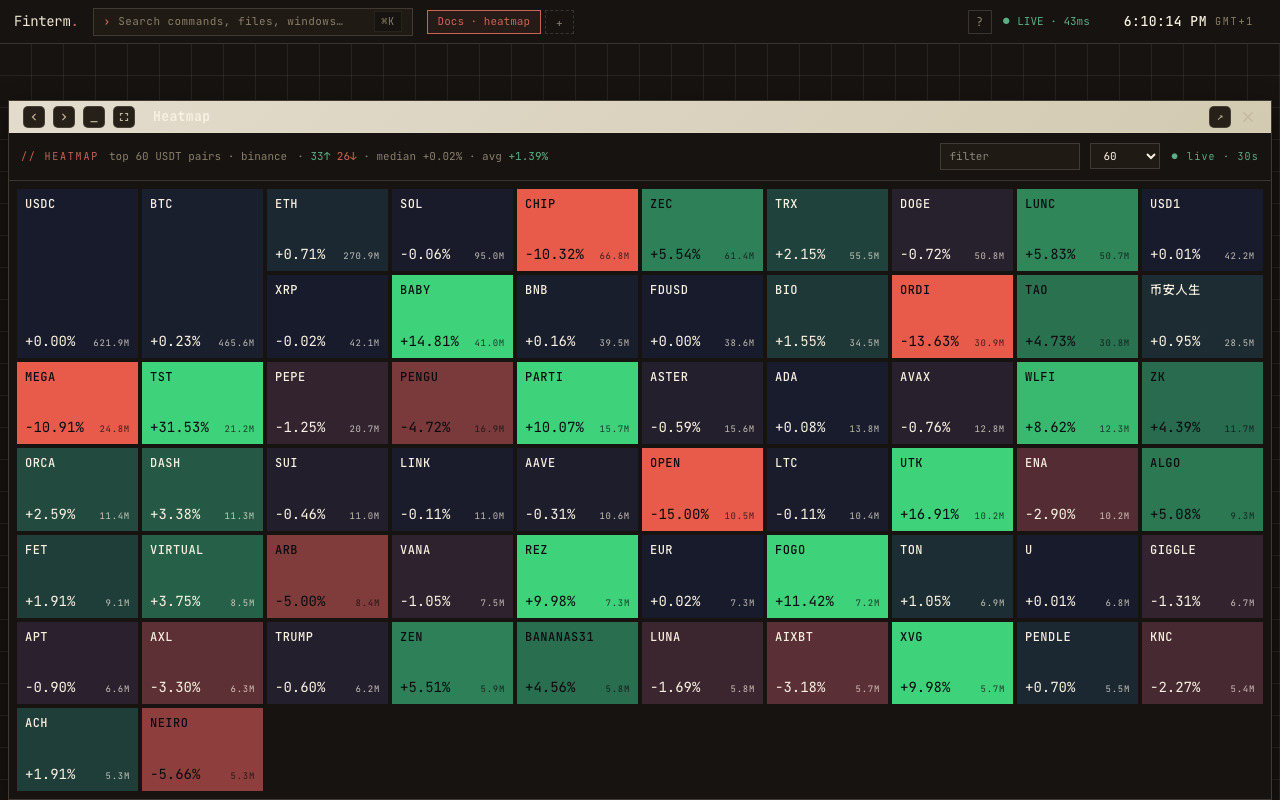
Snapshot of the entire Binance USDT spot market. Refreshes every 30 seconds via the data gateway. Click any tile to spawn a chart for that symbol.
funding
Binance perpetual funding rates — APR per symbol, sortable.
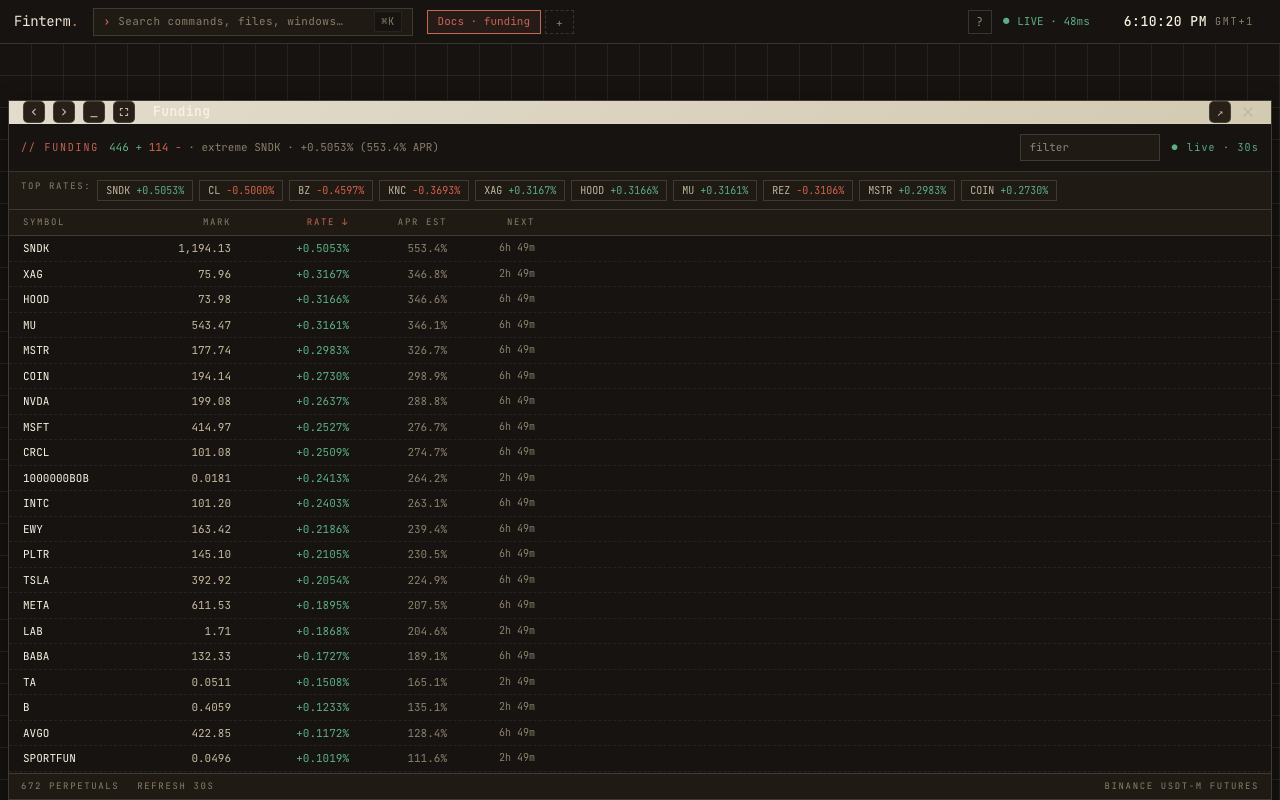
Pulls from /api/data/binance/funding (cached 30s). Sort by rate to find perp / spot dislocations.
liquidations
Live tape of every Binance perpetual force-order — long vs short, notional, symbol filter.
Streams from wss://fstream.binance.com/ws/!forceOrder@arr — every liquidation across all USDS-M perps in real time. Filter by symbol prefix to focus on one cohort, or set a minimum-notional cutoff to drop dust.
The 'side' column is the side that got liquidated (LONGs got hit when price dropped; SHORTs got hit when price ripped).
open interest
Binance perp open-interest history per symbol with sparkline + window stats.
Pick any USDT perp and a period (5m..1d). Pulls /futures/data/openInterestHist via /api/data/binance/oi-hist (edge-cached 30s). Shows current notional, contract count, window min/max/Δ%, plus a sparkline.
Useful for spotting positioning shifts: a sharp OI spike with flat price often precedes the move.
overview
One-symbol terminal: price + 24h stats + order book depth + WebSocket connection state.
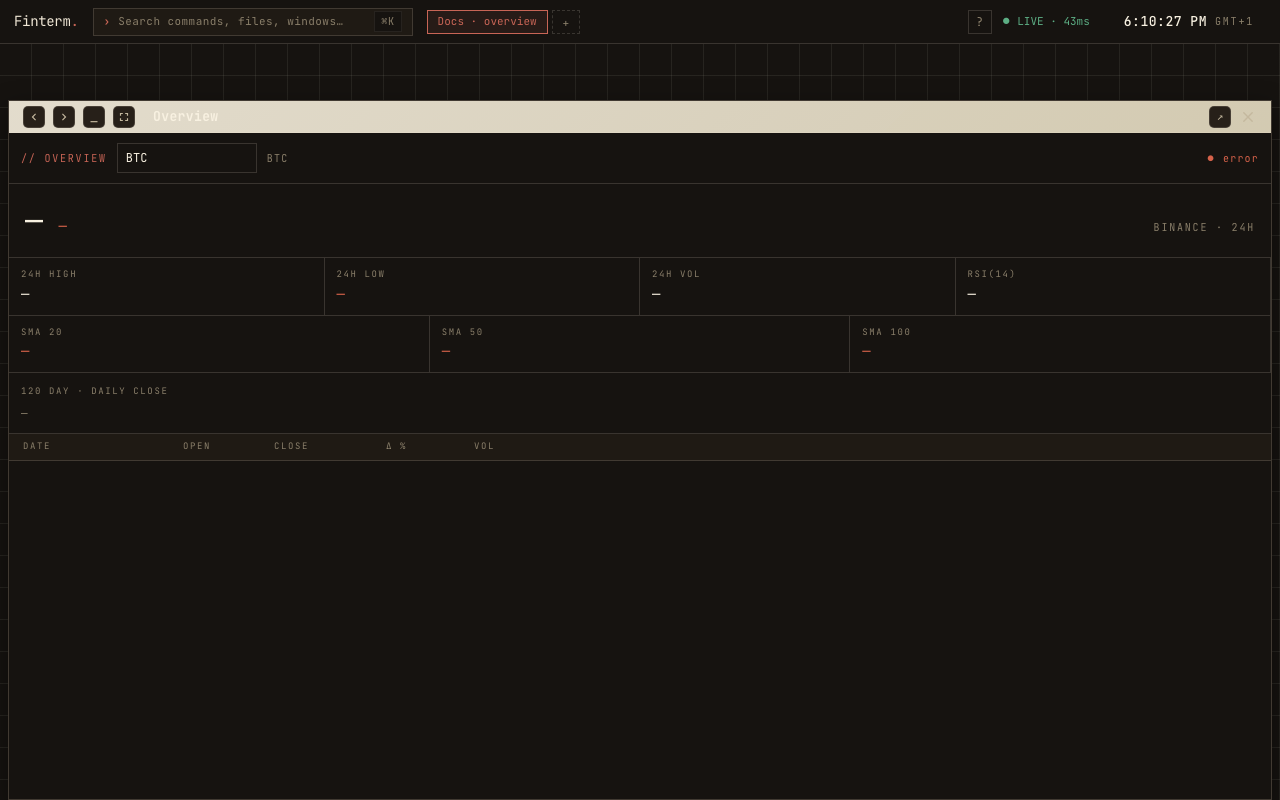
Single-page summary for one symbol. Useful as a sidebar companion to the chart — pin it next to the chart for the same ticker and you have price + book + stats without the chart's interaction surface.
correlation
Rolling Pearson correlation matrix between any list of symbols.
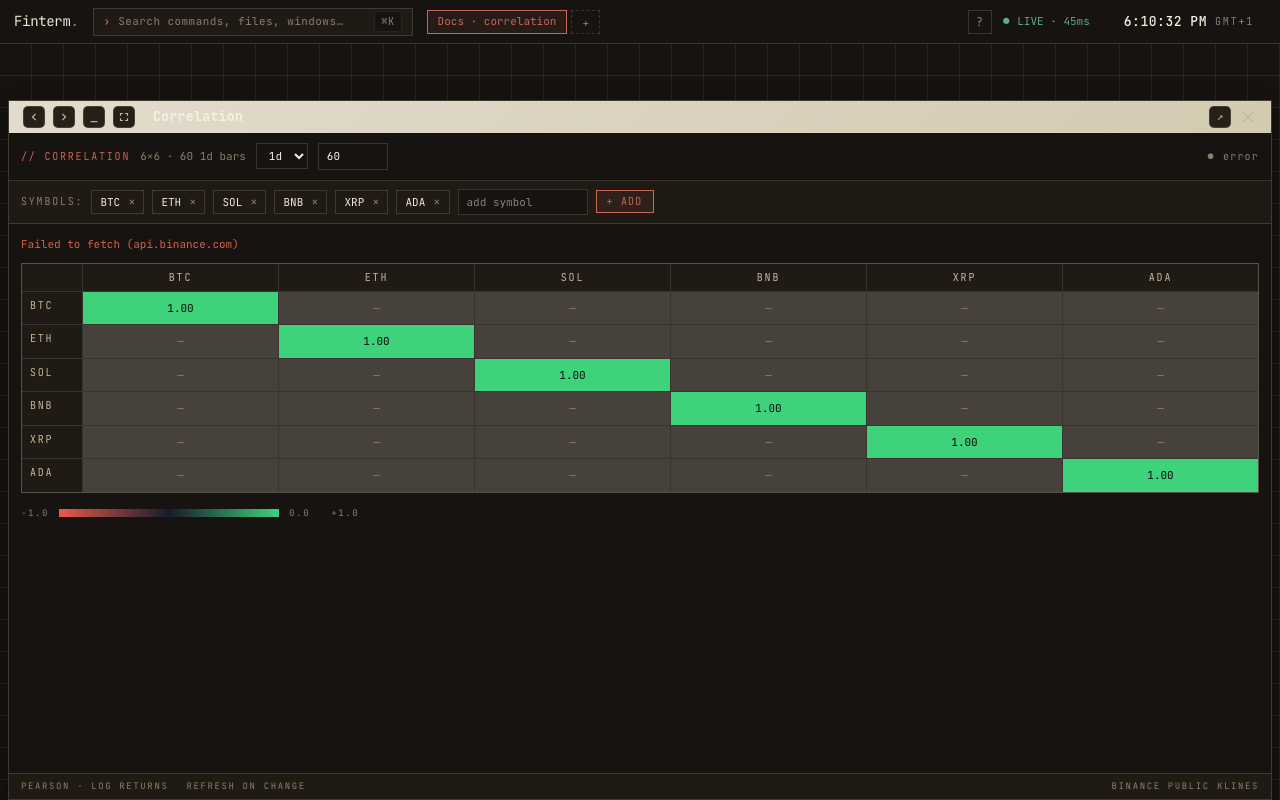
Paste a list of symbols, pick a window length, get a heat-coloured matrix of pairwise rolling Pearson correlation. Useful for hedge-construction or basket research.
portfolio
Manual position list with live mark prices. Tooling — no broker connection, you enter the positions.
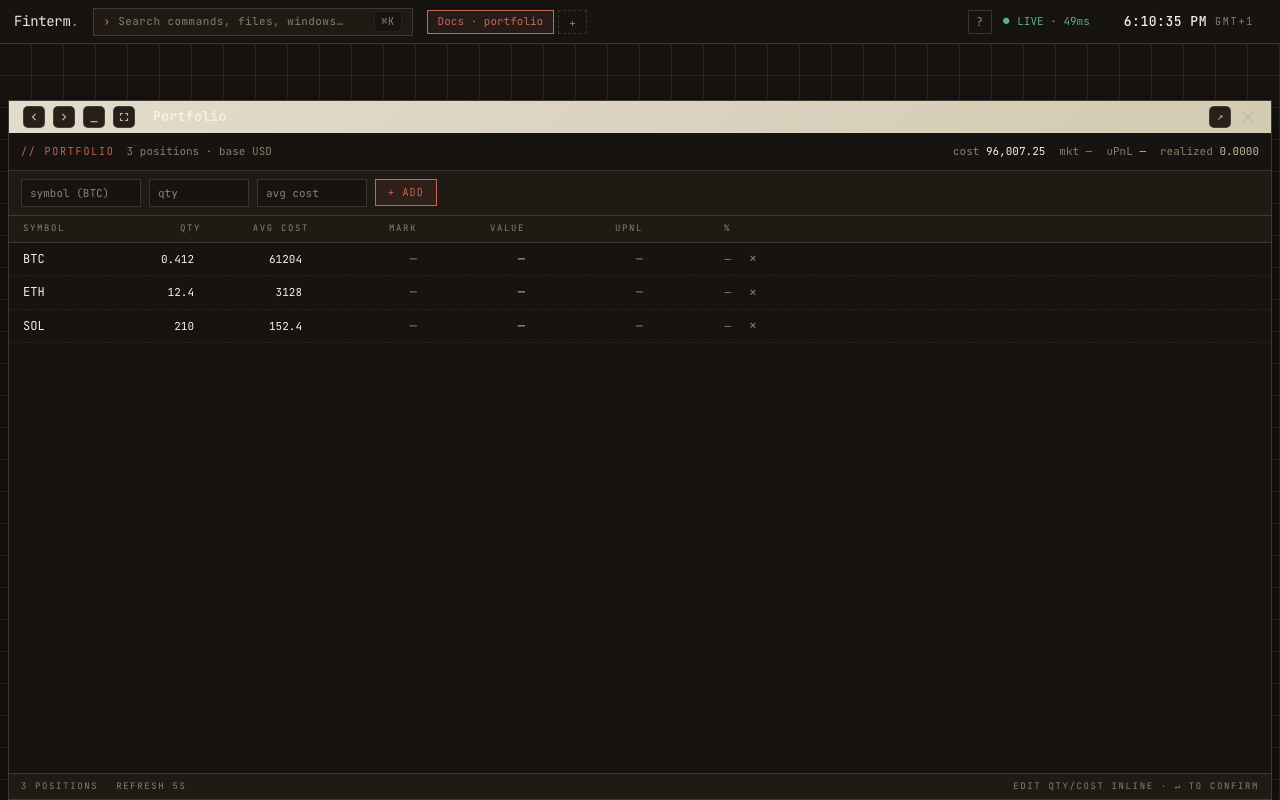
You add positions; the window pulls live mark prices through the data gateway and renders unrealised P&L per row. Persisted to the workspace alongside everything else.
calendar
Macro + crypto event calendar — earnings, central-bank meetings, on-chain unlocks.
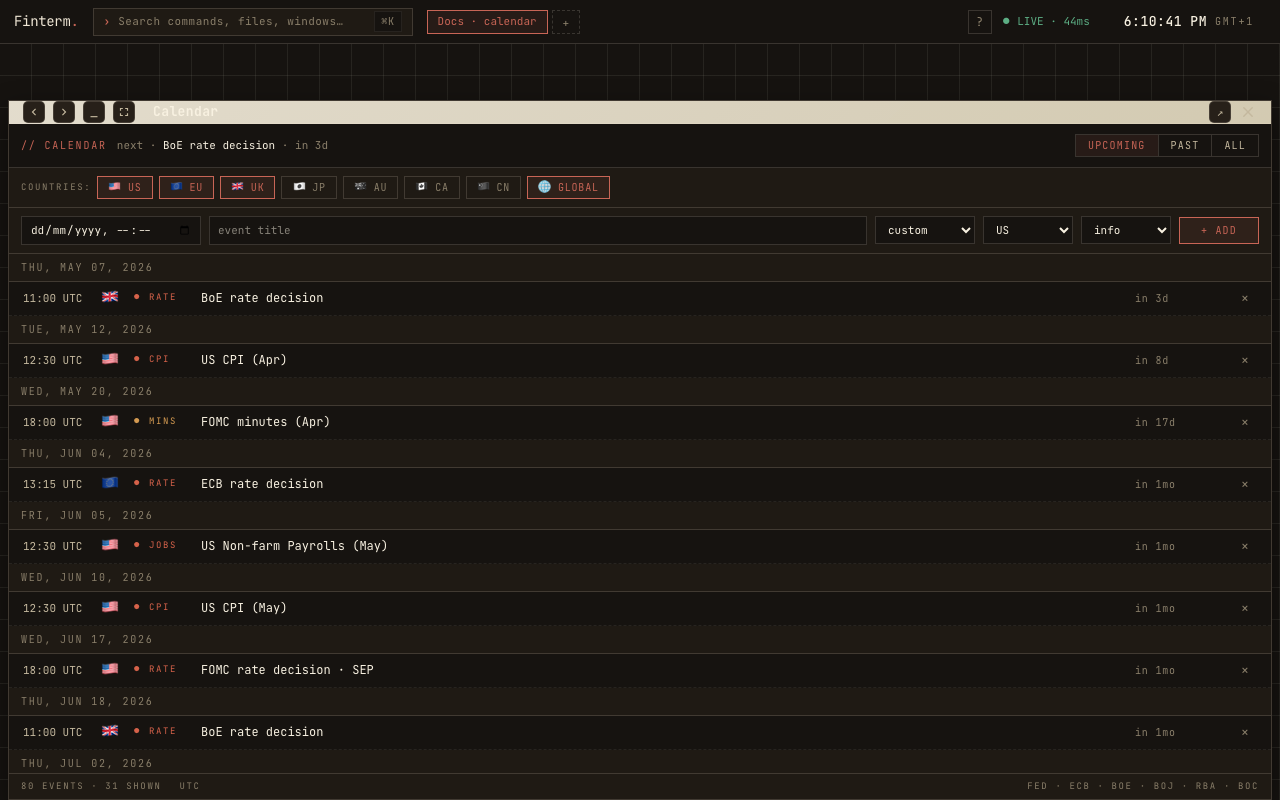
Aggregates calendar items from the data gateway. Filter by category (earnings, macro, on-chain) and severity.
journal
Trading journal — date / symbol / side / P&L / notes per entry.
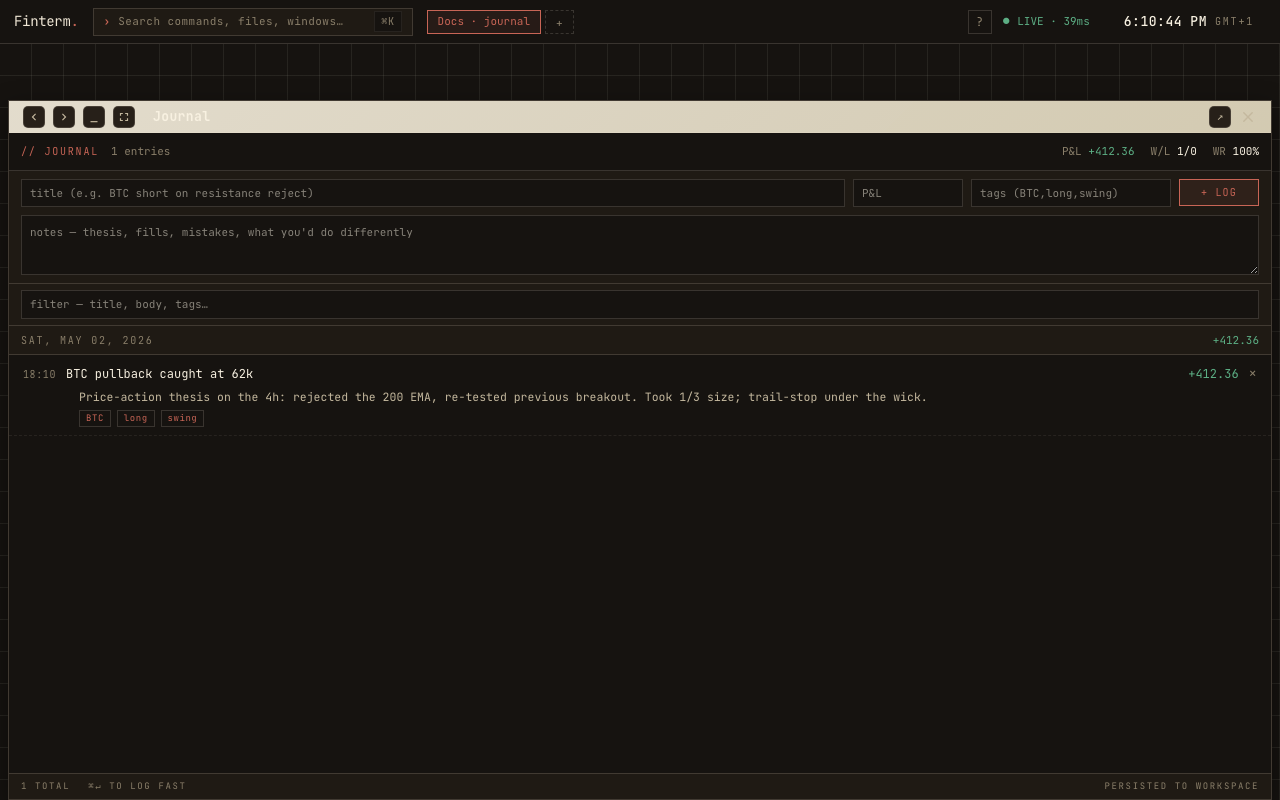
Free-text entries with structured fields. Persisted to the workspace + exportable as a CSV for tax / accounting workflows.
risk
Sharpe / volatility / max-drawdown readouts over a configurable window.
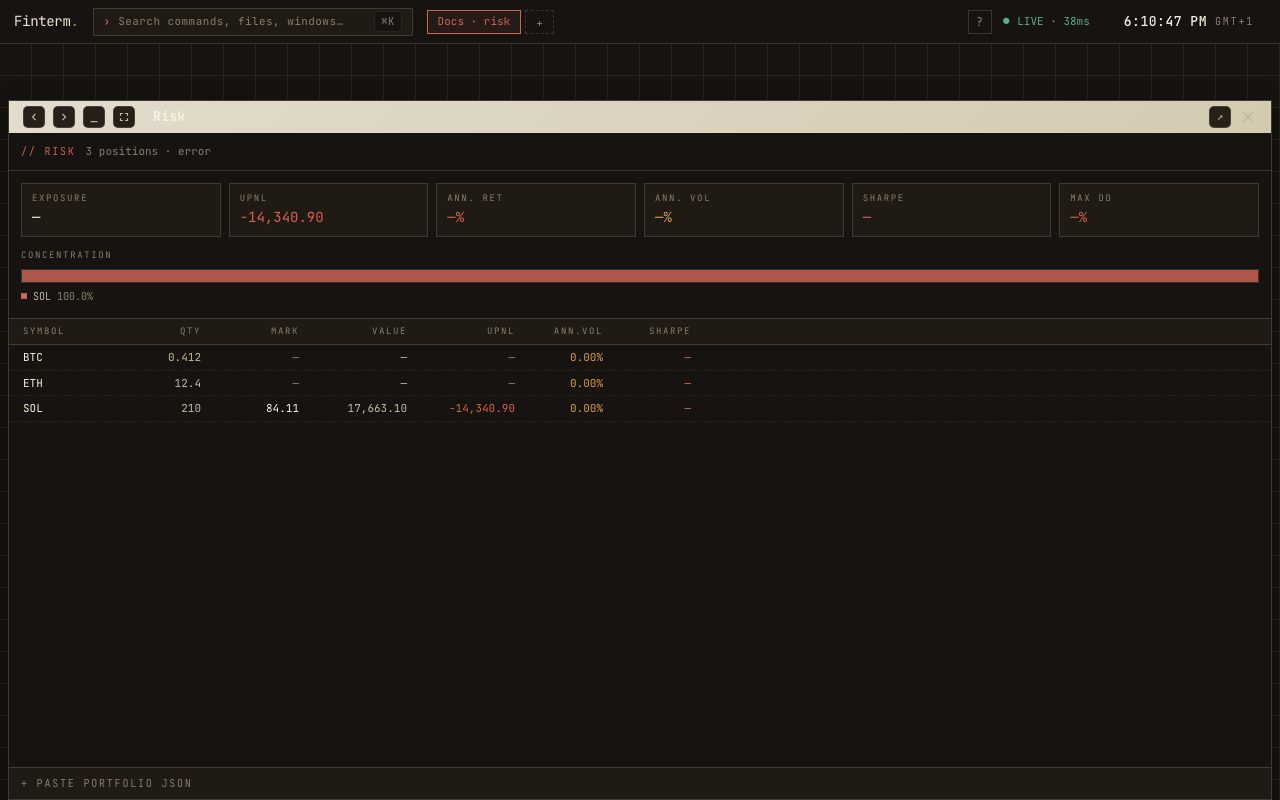
Pairs naturally with the Portfolio window. Computes risk metrics over the position equity curve over a configurable lookback.
settings-gui
GUI panel for the settings spec — categorised side nav, every field rendered with the right control.
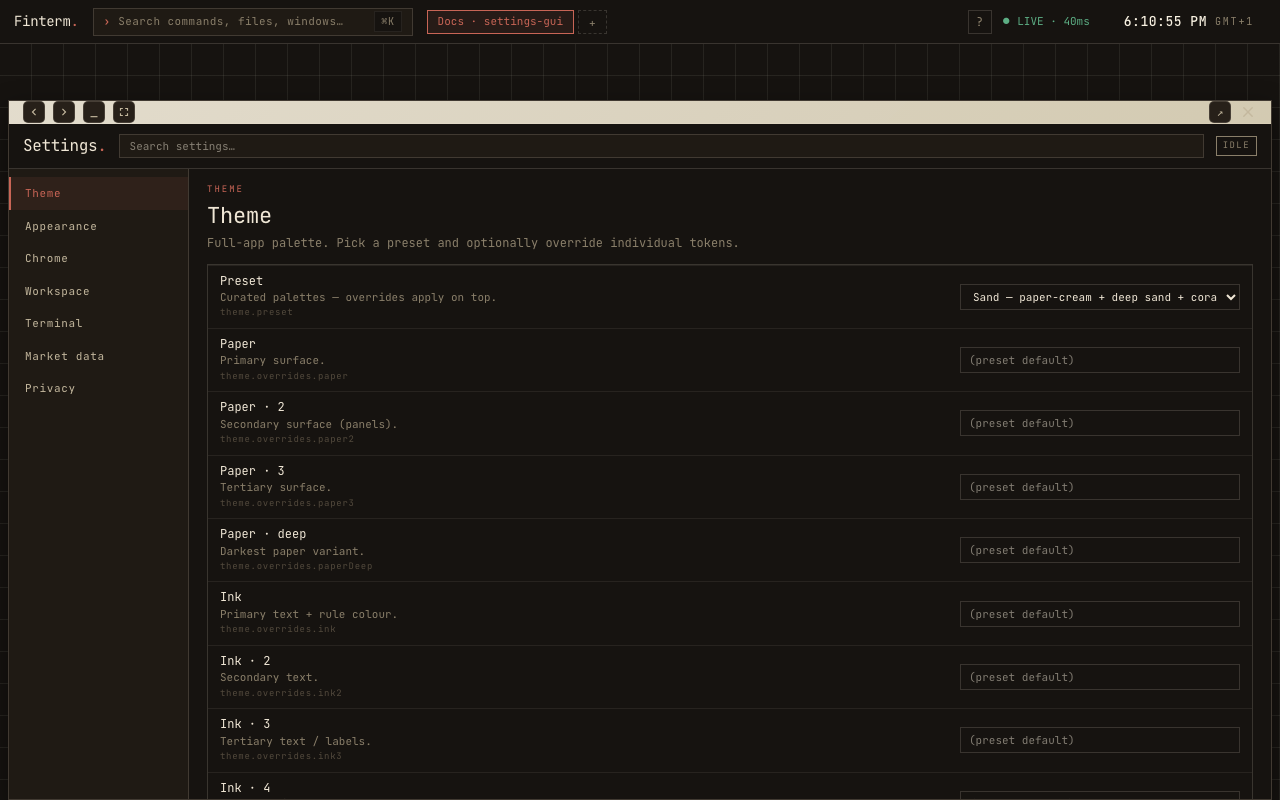
Two ways to edit settings: this GUI, or the JSON editor (open with 'settings' in the palette). Both write through the same store, so changes round-trip across the two.